
Which world buffs are recognized
The combat log reader recognizes these buffs by their spell IDs, whatever language your game client uses:
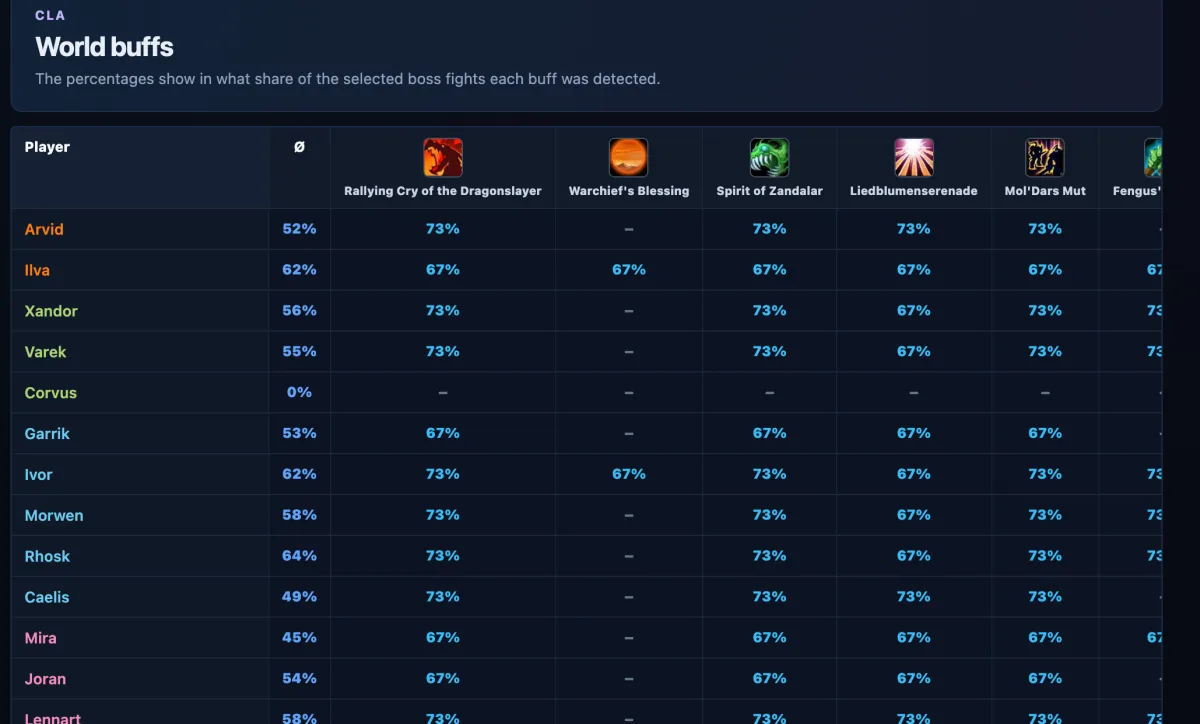
- World buffs (up to 5 on pull): Rallying Cry of the Dragonslayer (Nef/Ony), Warchief's Blessing (Rend), Spirit of Zandalar (ZG heart), Songflower Serenade, Sayge's Dark Fortune (DMF)
- Dire Maul tribute (up to 3 on pull): Mol'dar's Moxie, Fengus' Ferocity, Slip'kik's Savvy
What “on pull” means
A world buff only helps if it is active in the boss fight. That is why both tools count what a player had when a boss was pulled – not what was there at some point in the evening.
- Warcraft Logs report: the World buffs view shows per player and buff on what share of the selected boss fights the buff was detected, plus an average per player.
- Combat log file: the Consumables tab has the columns World buffs (how many of 5 were active on pull) and DM tribute (of 3). Tap or hover to see which ones. The Other buffs tab shows uptime in the fight and marks what was active on pull.
Stored world buffs (Chronoboon)
Many players store world buffs and only restore them before the boss. For the combat log reader, the auras the game writes to the log at the pull are what counts: anything missing there was not active. So a stored buff only counts once it is really on the player at the pull.
Buffs from before the log started
Many world buffs are picked up before the combat log is running. The combat log reader still recognizes them, because at the pull the game writes every player’s active auras to the log. For that, advanced combat logging should be on and the logger close by on pull. A single log only sees what happens within about 50 to 100 yards of the logger.
Limits
- WoW Forever: for Forever logs the combat log reader shows no world buffs, because according to the Blizzard forums and player reports they don’t work in Forever raids.
- TBC Anniversary: there are no world buffs. For TBC reports the log analysis shows flasks, elixirs, food and weapon oils.
- No verdict: whether you expect world buffs, and which ones, is up to your guild. The log analysis only shows who had what.
How to analyze your log
Option 1: Warcraft Logs report
- Type
/combatlogin chat before the first pull and upload the raid with the Warcraft Logs uploader afterwards. Keep the report public. - Paste the report link (…warcraftlogs.com/reports/…) into the log analysis and press “Analyze”.
- The first analysis takes one to three minutes. Then you get a short link for your Discord.
Option 2: combat log file in the browser
- Type
/combatlogbefore the first pull. For more detail, turn on “Advanced Combat Logging” in the system options under Network. - After the raid, open the combat log reader, press “Choose combat log file” and pick
WoWCombatLog.txtfrom theLogsfolder (Classic Era:_classic_era_\Logs). - The file is not uploaded. Large logs of several hundred MB take one to two minutes. You can save the report as a file or share it as a link.